
For customers
Track your order
Follow each visit, confirm completed work and download your invoice.
Once you accept an offer, the job becomes an order. Every visit the provider makes is tracked separately, so you always know what has been done and what is still to come.
-
Find your order
Active orders appear on your dashboard with a reference such as
ORD-2026-0001, and show the date and time of the next visit.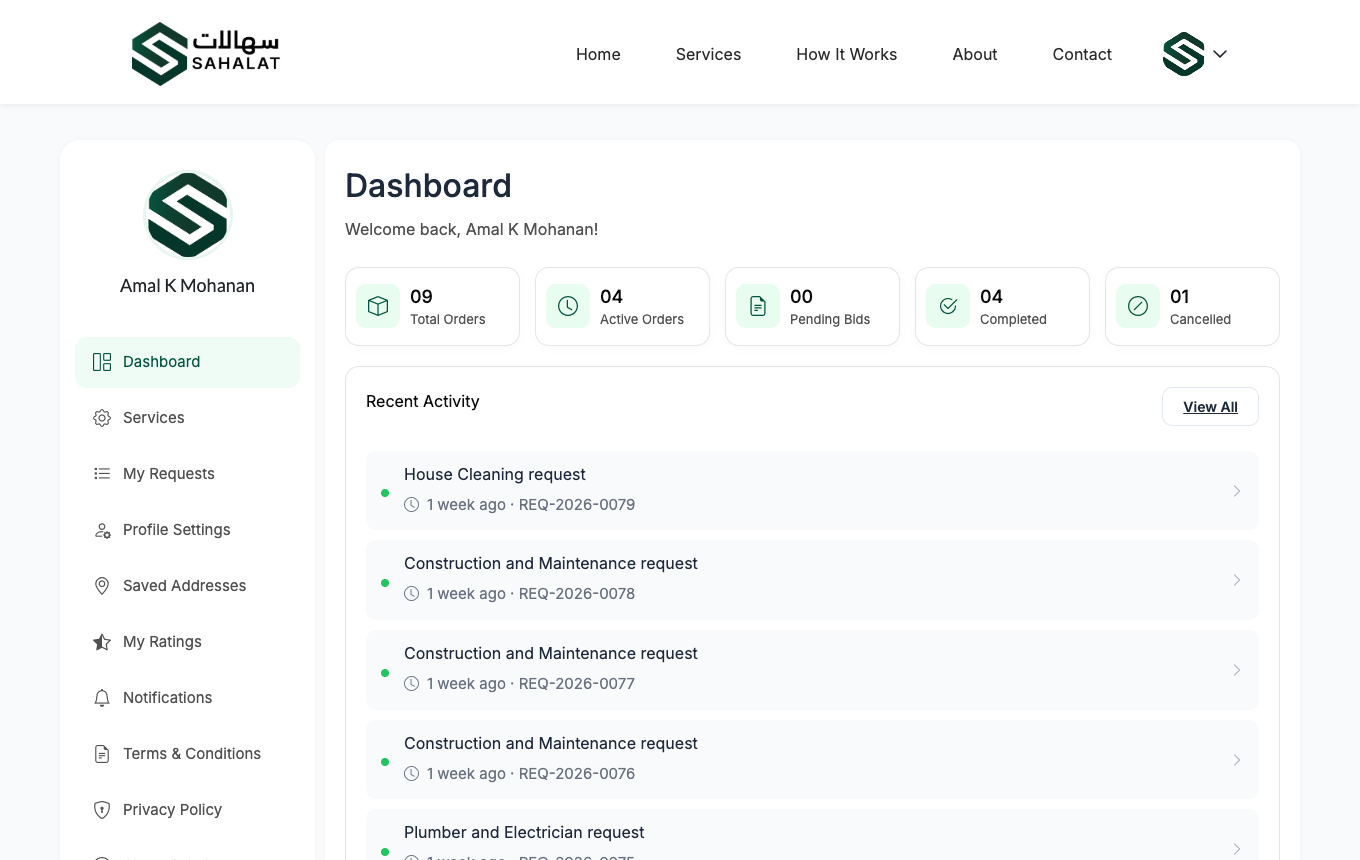
Your dashboard lists active orders and the next scheduled visit. -
Follow each visit
A one-off booking has a single visit. A daily or weekly booking has one for each scheduled day. Each visit moves through three stages:
- Pending — scheduled, not started
- In progress — the provider has started work
- Completed — the work is finished
-
Confirm the work was done
When the provider marks a visit finished, you confirm it from your side. Confirming is how the order moves forward to the next visit.
When the last visit is confirmed, the whole order is complete.
-
Download your invoice
Every order has an invoice showing the agreed amount, the visits and the provider's details. You can open it at any time, including after the job is finished.
Cancelling an order
You can cancel an order and give a reason. The provider is told straight away. A cancelled order stays in your history marked as cancelled by you.
Sahalat does not take payment. You pay the provider directly — the invoice is your record of what was agreed.



 Continue with Google