
For service providers
Add your team and equipment
Register workers, water tankers and machinery so you can take on jobs.
Register the people and equipment you work with. Everything you add is checked by our team before it can be used on a job.
Workers, tankers and machinery all start inactive and need approval before they count towards the jobs you can take on.
Workers
-
Add each member of your team
Go to Workers and add their name, date of birth, nationality, the service they are trained for, and a copy of their ID or passport.
The service you choose matters — a worker registered for house cleaning cannot be assigned to plumbing jobs.
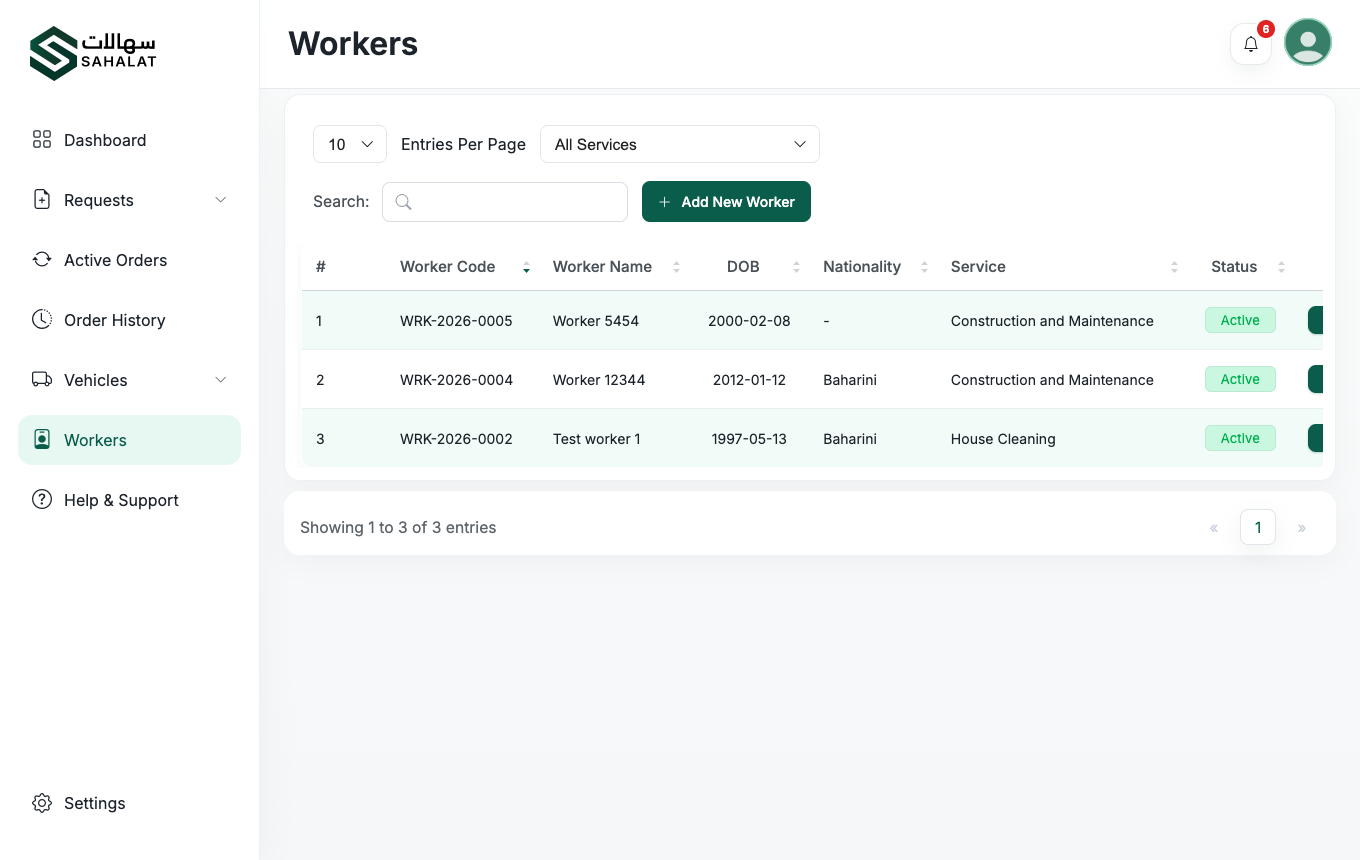
Your workers list, with the approval status of each one. -
Wait for the worker code
When our team approves a worker they are given a code such as
WRK-2026-0001and become active. Customers can request that worker by their code, which is how repeat customers ask for someone they liked.
Water tankers
-
Register your tankers
Under Vehicles, add each tanker with its details, type and size, and upload the vehicle documents. Once approved it can be used on water tanker jobs.
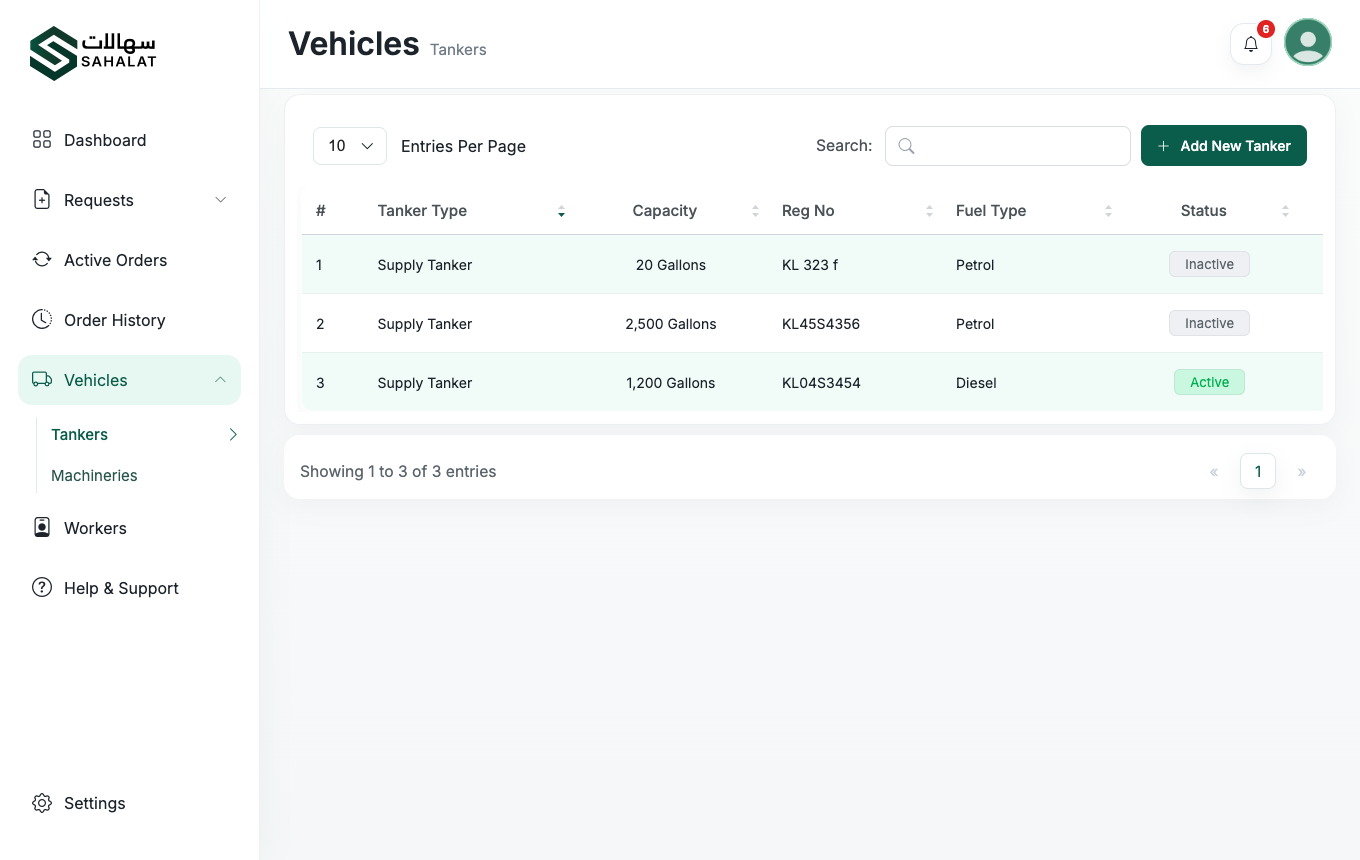
The vehicles list under Vehicles → Tankers.
Machinery
-
Register your equipment
Add each machine with its type and specification, and upload its documents. Approved machines become selectable when you price a machinery hire job, so the customer sees an itemised quote.
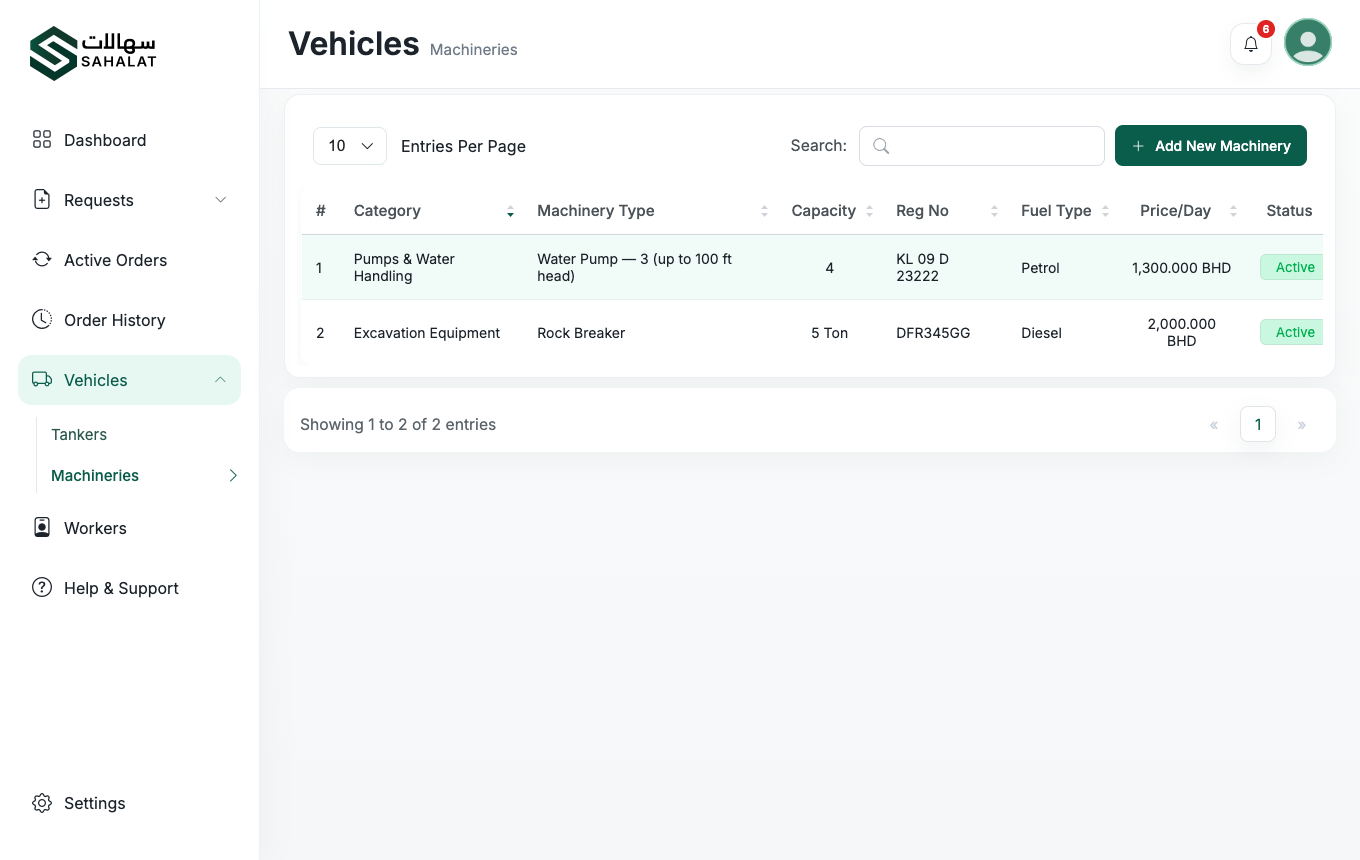
The machinery list.
Taking something out of service
You can switch any worker, tanker or machine to inactive — for a vehicle being serviced, or a worker on leave. It stops appearing on new jobs but its history is kept. Switch it back when it returns.



 Continue with Google