
For service providers
Getting approved
What happens after you apply, and what to do if your application is rejected.
Every provider is checked before they can bid for work. This is what protects customers — and it is why approved providers are worth trusting.
The four states your account can be in
- Pending — submitted and waiting for review.
- Approved — you can see jobs and send prices.
- Rejected — something needs fixing. You are told what.
- Suspended — an approved account stopped by our team. Contact support.
-
While you wait
You can sign in and finish filling in your profile, but the jobs list stays empty until your application is approved. Most applications are reviewed within a couple of working days.
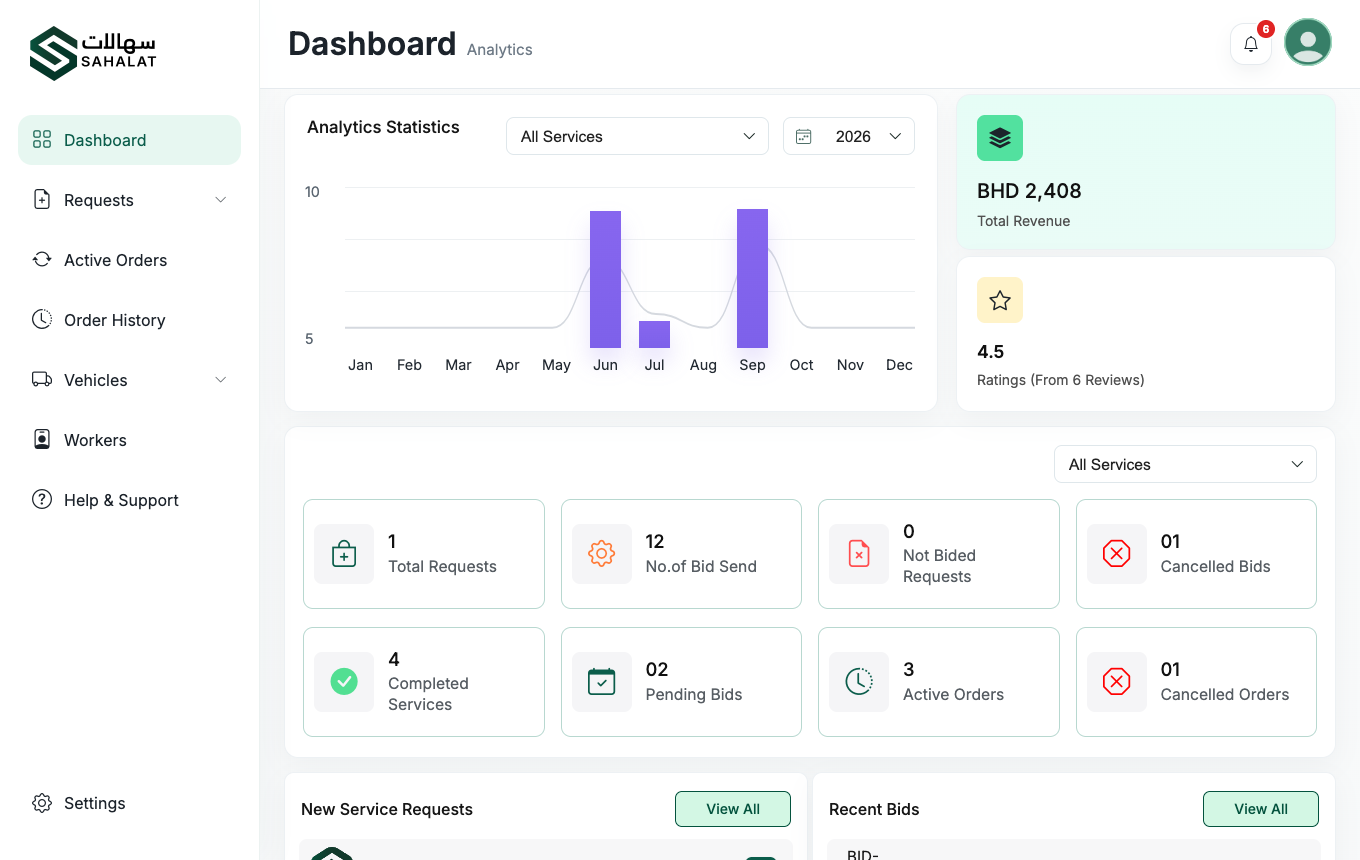
The provider dashboard once your account is approved. -
If your application is rejected
You are given a reason. Open your account page, fix what was raised — usually a document that was unclear, expired or missing — and resubmit. There is no limit on resubmissions.
-
Once approved
Jobs for the services you selected start appearing under Requests, and you can begin sending prices.
Changing your details later
Once you are approved, changes you make to your business details are not applied straight away — they go back to our team for approval first. This keeps what customers see verified. Your existing jobs and orders carry on as normal in the meantime.



 Continue with Google